
10 Social Media Channels to Build Your Brand

Choosing the right media channel for your small business is one of the most important steps of the digital marketing process. In order to get the best possible ROI, you need to understand that having a solid social media strategy provides valuable opportunities to connect your brand with its desired audience.

There are so many new and upcoming social media platforms in the market that it becomes difficult to know which one will work best for you. Even marketing agencies struggle to stay abreast of the latest social changes. Pinterest alone has changed its algorithms entirely in the last 3 years. Let’s examine some of the most popular social media platforms for 2021:

Facebook

One of the biggest social media channels around, Facebook sees around 2 billion users every month. This amounts to around a third of the total world population. Most of the content forms work great on this platform including stories, live videos, text, images, and videos. The Facebook algorithm ranks content that stimulates meaningful interactions and conversations between users, especially from friends and family.

YouTube

This video-sharing platform (owned by Google) is also the second-largest search platform after Google’s text-based search engine. Billions of video hours are watched every day by people all around the world. YouTube allows you to create and customize your own channel. When you upload videos, users can view, share, comment, and subscribe to your channel. YouTube is known for being one of the best options for creating cost-effective advertising campaigns. Think of it as an affordable alternative to television ads with several different ways to reach your audience.

Instagram

Known as a video and photo-sharing platform that allows you to share videos, photos, stories, and live brand stories, Instagram also recently launched reels, a new way to create and discover short videos. As a small business owner, you can start with an Instagram business profile and make use of the various analytics tools offered by the platform. Third-party tools such as Buffer, Later, or Hootsuite allow you to manage and schedule posts as well as track social media engagement. You’ll need a Facebook account to postpaid ads to Instagram. Facebook purchased Instagram many years ago.

LinkedIn

This job posting site and has now evolved more into a professional social networking platform where experts network and build their brands. Users can easily network with other professionals, read and share content posted by thought leaders, and build personal brands. LinkedIn is an excellent site for establishing your authority and thought leadership in your particular industry. This helps attract new talent to your business/company. The site offers numerous advertising opportunities like personalized ads, content boosts, and display ads.

Twitter

This is a platform for sports, news, entertainment, politics, and much more. Twitter is unique due to being the only social media channel that allows only 280 characters per post, which they brand as ‘tweets.’ It places a strong emphasis on real-time tweets and things that are happening right now. Twitter is frequently used as a customer service network. According to Salesforce, Twitter is similar to a 1-800 Customer Service number. The platform also has social media customer service tool tools like Buffer Reply which helps you manage conversations.

TikTok

TikTok is the newest social media channel. Its popularity has risen since the worldwide lockdown. Currently, it has over 1.5 billion downloads in both the App Store and Google Play Store. The app enables people to make short-form videos in a variety of genres such as education, dance, comedy, etc. The duration of the video varies from 3 to 180 seconds. The app has more recently begun transforming into a marketing and advertising haven.

Alignable

This social media platform is geared towards small business owners. It works similar to a referral network where businesses connect with other small businesses. It enables them to ask for suggestions, refer customers, shares expertise, etc. Alignable has two memberships: free and premium. With the free version, business owners can network, create a profile, seek support, etc. Currently, there are over 6 million businesses listed on Alignable.

Reddit

Reddit is considered to be the internet’s front page, where people can post questions, images, links, and vote for others. It operates like a bulletin board. Registered users may submit a variety of content like text posts, links, images, etc. These are voted down or up by other users. Posts are categorized according to communities called “subreddit”.These address numerous topics like pets, fitness, health, etc. Submissions with high votes appear at the top of the bulletin board. If they get sufficient votes, they may end up on the site’s front page.

Pinterest

Pinterest is where users go to seek inspiration and learn new things. It is quite different from others where the primary focus is on engagement. The site is primarily used by individuals and small businesses. Visitors who want to buy or try new things, often visit Pinterest. Having your small business represented on Pinterest allows you to get your brand in front of your consumers and shape their purchasing decisions.

Snapchat

The Snapchat social media app is a platform that lets users share short videos (snaps) and photos between friends. Snapchat was the first social media platform to use the stories format. Setting up a business account on Snapchat allows users to create several different types of ad campaigns. One thing that sets Snapchat apart is the ability to create ads with augmented reality experiences.

Although there are many more social media channels out there, the ones listed here are the most popular and useful for small businesses. Regardless of how big or small the platform is, select one based on where your target audience is active in order to achieve the best results.


How FINSYNC Can Help

FINSYNC allows you to run your business on One Platform. You can send and receive payments, process payroll, automate accounting, and manage cash flow. To learn more about how we can help your business start, scale, and succeed, contact us today.

Understanding Accounting Terms: A Refresher

For many small business owners, accounting terminology can be challenging. The concepts make sense but the phrases don’t. Most owners started a business out of a passion for a product or service, and not necessarily because they love administrative tasks. That said, you’ll need reliable accounting books frequently.

If you haven’t brushed up on your accounting terminology lately, here are some concepts you will want to review:

Accounts

This term can mean what you are probably accustomed to bank accounts, credit card accounts, etc, where you have a number issued by your financial institution. However, ‘Accounts’ also refer to the various categories that are part of your Chart of Accounts.

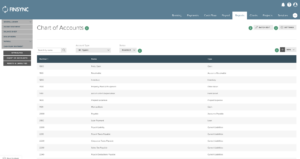
Chart of Accounts

Your chart of accounts is a series of ‘categories’ that various transactions can be applied to. Your chart of accounts is specific to your business and is often set up when you adopt accounting software for the first time. Each account in your Chart of Accounts typically has a numerical code that can vary in terms of the number of digits.

Understanding Accounting Terms: A Refresher 2

Cash Basis

Your business’s ‘Basis’ is like a setting for your books. When set to ‘Cash,’ everything revolves around when money moves. You recognize income when you receive money versus getting a deal signed. You recognize an expense when you pay it, not when you get billed.

Accrual Basis

When you are using ‘Accrual’ as your basis, you will recognize income as soon as you earn it in a category/account called ‘Accounts Receivable.’ You’ll recognize expenses as soon as you get billed in a category/account called ‘Accounts Payable.’ See below for more on these two general ledger accounts.

Assets

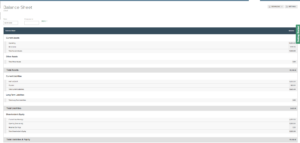
At the top of your Balance Sheet, ‘Assets’ represent stores of value for your company. Cash, real estate, and equipment are assets but so are rights to value in the future. Your accounts receivable (money owed to you by clients) is an asset. If your company has made loans to others, that loan or note receivable is an asset as well.

Liabilities

On the right side of your Balance Sheet, liabilities are what your company owes. Bills are represented by ‘Accounts Payable’ while money owed overtime or multiple installments would fall into a ‘note payable.’

Equity

Equity is the value of shares held by owners. It can be thought of as what would be left over if all Assets were sold and then all liabilities were paid off.

The Accounting Equation

The interaction of the three Balance Sheet sections is often referred to as ‘The Accounting Equation: Assets=Liabilities + Owner’s Equity.

Understanding Accounting Terms: A Refresher 3

Revenue

What is revenue?  Revenue, sometimes called sales or turnover, is the total income generated by a business from the sale of goods or services. Revenue is the money that your company receives selling goods or services.

Expenses

Also known costs, there are several categories of small business expenses to stay in business. The two categories in cost accounting are a variable and fixed cost. The fixed costs differ in that these numbers stay the same regardless of the company’s output. When we calculate variable costs, these numbers fluctuate week after week, depending on the sales volume.

Profit

When you have more revenue than expenses, your company is running at a profit or sometimes what is referred to as ‘in the black.’ If you have more expenses than revenue, you are running the company at a loss, which is also referred to as ‘in the red.’

Gross Profit is the revenue from sales minus the costs to achieve those sales. The cost associated with sales is known as “Cost of Goods Sold” or “COGS” and is often in its own section on your income statement. This number tells you exactly how much your company would have made if you didn’t have administrative or other expenses that weren’t directly associated with the product or service you provide.

Retained Earnings

When a business runs a profit, cash accumulates within the business. Owners may decide to pay dividends (which reduce retained earnings), or they may keep the money on hand for reinvestment in the company. Some companies consider the statement of retained earnings the fourth financial statement.

Accounts Receivable (A/R)

If you are using the accrual basis of accounting, you’ll show an account/category called ‘Accounts Receivable’ which represents all of the money that is owed from sales such as invoices you have sent to clients but that have not been paid yet. When the client pays you, your ‘A/R’ total goes down and your cash goes up.

Understanding Accounting Terms: A Refresher 4

Accounts Payable (A/P)

Sticking to the accrual basis of accounting, ‘Accounts Payable’ is the money you owe vendors who have already billed you but you have not paid yet. When you pay a bill, your ‘A/P’ goes down and your cash goes down.

Understanding Accounting Terms: A Refresher 5

Learn these concepts, and you will be in good shape to have an informed conversation with your accountant or banker if you’re seeking financing.


Stay up-to-date with the latest trends and other tips and tricks FINSYNC’s blog brings to small businesses.

Top Tips to Develop a Strong Social Media Marketing Strategy

The latest trends in digital marketing show that social media platforms are quickly evolving into online marketplaces. Moving beyond the realms of creativity and connectivity, they offer a vast customer base for businesses. While there are multiple social media channels across the internet, each platform comes with its own set of advantages and disadvantages. Moreover, there are differences in content types, formats, and audiences.


For businesses seeking to get started with social media, choosing a single platform that best aligns with your product or service is a great first step. Then comes the formulation of an effective social media strategy.


Let’s explore some social media trends that businesses can leverage in 2021, from e-commerce to Social Commerce.


According to experts, more than 50% of sales across 14 major sectors are happening through social media. In a way, there is a thin line between E-commerce platforms such as Shopify, BigCommerce, or WooCommerce integrated with WordPress and social media. Platforms such as Facebook and Instagram are offering separate business profiles for dedicated campaigns and direct sales. The integration of payment gateways and fintech applications is making the process much easier.


*Instagram is owned by Facebook, and Facebook Ads Manager must be used to advertise on Instagram.


Create Follower Communities


A loyal social media follower group is just as powerful as a team of sales executives. Proper interactions and responsiveness are crucial in creating a robust customer retention management system within the platform.


Make your followers brand ambassadors of your product/service. The user-generated content, such as testimonials, feedback, etc., can help more than you think in your business expansion. Consumers increasingly respond to relatable stories over rote advertising copy.


Influencers and Collaborations


The power of social media lies in its multiplier effect. Likes, shares, and comments from your network can reach any corner of the world, especially if your content goes viral. At times, it requires a push from someone with massive social media influence to spread the word. Influencer marketing is a buzzword in the digital marketing arena. One way to promote your business is by paid collaborations and reviews with influencers across different social media channels. There are even influencer marketplaces where you can read about what industries they promote and how successful they are.


Effective Analytics


Real-time marketing analytics is one of the best rewards of digital marketing. The fact that you are a small business should not drive you away from dealing with analytics. All platforms offer graphical analytics tools that even someone without a statistics background can understand.. Leveraging this data allows you to optimize your strategy and content over time. This will make your marketing campaigns successful by reaching out to a larger, more targeted customer base.


Leveraging New Platforms


With the reduction in average internet bandwidth cost, video platforms are becoming increasingly popular. In content marketing, short videos are grabbing users’ attention faster than other mediums. This clearly explains the rising popularity of mediums such as TikTok. Many companies are already leveraging TikTok influencers to promote business through short-format videos. These videos can cover product descriptions, reviews, or creative ad campaigns.


Small business owners often struggle with low marketing budgets. However, the new social media trends suggest that it can be a very effective low-cost marketing alternative. As you get familiar and grow success with your first platform, you can add others that are relevant to your business.


No matter what platform(s) you choose, remember to optimize your profile:

◦ Use crisp, clear, well-lit photos.

◦ Spell-check your written content and be sure you are using terminology your intended audience can understand.

◦ Avoid a “ghost town” by posting frequently.

◦ Respond to comments, likes, etc., quickly to let your audience know you care.


Now, it’s time to choose your social media platform. Here are some choices:

◦ Facebook

◦ Instagram

◦ LinkedIn

◦ Twitter

◦ TikTok

◦ Alignable

◦ YouTube

◦ Tumblr

◦ Reddit

◦ Snapchat

◦ Pinterest


How FINSYNC Can Help


There are 3 primary ways FINSYNC helps business owners. (1) CO.STARTERS courses through FINSYNC can help turn your business idea or side hustle into a thriving business. (2) On our website, you can also apply for a business bank account. (3) In addition, the FINSYNC software allows you to run your business on One Platform – invoice customers, pay bills, process payroll, automate accounting, and manage cash flow. To learn more about how we can help your business start, scale, and succeed, contact us today.
Business Goals: Everything You Need to Know to Achieve Your Goals

Setting goals for your business helps identify opportunities for success. Achieving success without having a plan in place first is much harder. With 2021 right around the corner, it is time to embrace change and develop a goal-setting strategy for you and your business. A good first step for your business to achieve is to begin setting clear and realistic goals.


Get Started Setting Goals


The process of setting goals begins with determining what you want to accomplish in a time period. Business goals or Key Performance Indicators (KPIs) should be objectives tied to the vision for your business.


It may sound cliché, but writing down your goals on pen and paper makes it more likely for you to achieve them. According to an article by Inc., you are 42% more likely to achieve your goals if you write them down.


In case you feel stuck about where to get started, these are some easy goals you can set for your small business:


◦ Reduce business expenses

◦ Increase your website traffic with SEO

◦ Hire your next employee

◦ Improve your social media presence

◦ Introduce a new product or service


To help you set the most effective types of goals, we strongly recommend using the SMART goal-setting method. You can find several step-by-step blog posts on how to set SMART (Specific, Measurable, Attainable, Relevant, and Time-bound) goals by doing a quick Google search.


Don’t Lose Track of Your Progress


Keeping track of progress allows you to monitor whether you’re on the right track or need to make adjustments. With many different ways to track your progress towards your goals, let’s discuss some of the methods you can use to start tracking your progress:


◦ Planning and organizing. Develop a plan on how you will accomplish your goals. It can be as simple as setting dates to check back on your progress or listing out the steps you need to take.

◦ Set objectives. This can be especially important if you have employees. Fully understanding expectations increases the likelihood of embracing tracking goals.

◦ Create milestones. Think of this as breaking your larger goals into smaller pieces. This will help you assess how far you’ve come and figure out the next steps in achieving your larger goals.

◦ Celebrate the small wins. Doing so will help you avoid getting burned out. We live in such a fast-paced world; we always begin focusing on the next big thing. Taking the time to celebrate small achievements helps you appreciate the process towards the right path. In addition, this helps build more confidence.


Build Good Habits


Accomplishing your goals is a direct relation to the habits you form. Building good habits helps you reach your goals more effectively and efficiently. For example, you can begin by improving your time management or setting a work routine. Think of these habits as incremental steps to reaching your goals.


Taking the time to look at your organization from a broader perspective will give you greater confidence to reach the next level in your business. Keep in mind you will need to rethink and refocus your business goals as you make progress and your situation changes.


How FINSYNC Can Help


FINSYNC allows you to run your business on One Platform. You can send and receive payments, process payroll, automate accounting, and manage cash flow. To learn more about how we can help your business start, scale, and succeed, contact us today.
Rebuild Your Small Business with Effective Cash Flow Management

As the economy starts to reopen and you look to rebuild your business, gaining control of your cash flow management can help you make the most of your financial resources.

Many small business owners are starting to ask, “How are we going to get back on our feet?” While there are endless ways to rebuild, many business owners face limited financial resources and simply can’t afford to experiment. That’s why we’ve put together a three-step process you can follow, which is rooted in one of the most important concepts for business success: Cash Flow Management. 

Cash is the lifeblood of any small business, and in times of crisis, it’s especially important to understand how you make and spend your cash. Let’s take a look at how you can effectively adjust to your new business reality.

Step 1: Assess the Damage

Before you make plans for rebuilding your business, you need to fully understand your current situation.

Start with the financial side of the business. Before you sit down to do a cash flow projection, look at your P&L statement, and compare it to previous months or years. This will provide you with a concrete number (rather than guesswork) that reflects how much your small business has actually changed. Consider hiring an accountant to help you with this step to ensure an accurate result.

Secondly, you need to look at other changes in your business: layoffs, vendor relations, lost customers, etc. Factors like these will have an impact on how fast you can rebuild your business. 

Step 2: Identify What Changes to Make Going Forward

There is no doubt that COVID-19 has changed your business landscape significantly. The way you and your competitors operate and your customers’ needs have changed significantly. To understand how your business is going to adjust to these new circumstances, ask yourself the following questions:

What are my new strengths and weaknesses?

Take a look at the parts of your business that are working and those that need to be adjusted. Perhaps you need to diversify your products, offer your clients digital bill payment, or invest further in an online presence. 

How are my competitors doing?

Benchmarking your organization against other players in the same industry can provide valuable data.

There will be market gaps left by businesses that have closed down. You may decide your company can fill those gaps by itself, or there may be opportunities to partner with past competitors as you try to rebuild your businesses.

What do my customers need?

Now is a good time to start planning out how you are going to rebuild your customer base. Depending on your industry, the exact process is going to look different. Some customer groups will need urgent attention, while others will need some space.

How has my industry changed?

An overall analysis of your industry is probably a good idea as well. What has changed? What do you need to do to adapt to new circumstances, and how much will it cost? 

Step 3: Look at Your Future Cash Flow

Now, for the most important part of rebuilding your small business: cash flow analysis. The information from the previous steps will influence how you project cash flow and ultimately guide your decisions.

Perhaps you decide to invest in new marketing campaigns, rehiring employees, or stocking up on inventory for a new product line. Before making any of these decisions, you need to evaluate how these investments will impact your expenses and revenue. Chances are, you have several things you want to implement, and a cash flow projection will tell you if you can afford them or not. 

Cash flow projections can also help you see how long funding will last. This can be useful if you are weighing different funding options, such as SBA loans, credit cards, or small business loans.

To get the most out of cash flow projections, capture each course of action in a financial scenario. This way, you will be able to see how each option will impact your business. You can do this in a spreadsheet, but cash flow management software will make the process easier. Ultimately, you want to be able to compare different cash flow projections and make educated decisions.

FINSYNC provides cash flow management tools, projections, and “what if” scenarios that tie into your accounting and bookkeeping to help you assess your financial health and adjust accordingly. With FINSYNC Payments, you can improve your cash flow by paying vendors with credit cards even when they traditionally don’t accept credit card payments.

Rebuilding your small business can seem daunting. If you think there are too many things to take care of right now, we recommend making a cash flow projection immediately. This exercise will help you make informed decisions about the future of your business.


How FINSYNC Can Help

FINSYNC allows you to run your business on One Platform. You can send and receive payments, process payroll, automate accounting, and manage cash flow. To learn more about how we can help your business start, scale, and succeed, contact us today.
FINSYNC vs. QuickBooks: Small Business Owners Weigh In

Small business owners spoke with us about how FINSYNC has helped them solve common problems — and why many have switched over from QuickBooks.

By FINSYNC

At FINSYNC, we love connecting with small business owners for our blog series called Spotlight on Small Business Owners. Over the past year, we’ve interviewed a number of small business owners. We always enjoy speaking with them about the challenges and rewards of running a business. 

During these conversations, business owners often tell us how FINSYNC has helped solve some of the many challenges they face. Over time, we noticed a trend — QuickBooks has repeatedly come up in these conversations, completely unprompted. 

It turns out, a lot of FINSYNC users have switched over from QuickBooks in order to find solutions to issues that are common to many small business owners. Here’s why.

Visibility

We had tried QuickBooks and several other solutions, and they all prevented us from getting visibility into where our cash pain points were going to be. Early on in the business we often found ourselves running out of cash unexpectedly.  

Whether something someone had purchased on a credit card wasn’t foreseen, or a client receivable wasn’t paid on time and we didn’t anticipate that, these situations became a problem. Working with FINSYNC we were able to get a lot of visibility to anticipate the crunches and prepare for those situations.

With the cash flow tools that allow us to see where our financial trends are, we’ve been able to look forward and see where potential problems might arise. This allows us to plan accordingly rather than having sudden surprises.”

Travis Peters, Impelos

Value

“We were using QuickBooks because that’s what our accountant had asked us to use, and I was looking for more cost-effective alternatives. FINSYNC had everything that I wanted at a much more attractive price point. 

Plus, they were much more responsive to inquiries, really friendly in the onboarding process. They seemed much more concerned with our success and happiness than with just signing us up. The fact that there was a personalized onboarding process speaks directly to the difference between FINSYNC and the gigantic companies.”

Andy Rostad, Media Beyond 

Service

“In the past, I’ve used various versions of QuickBooks and was never completely satisfied. FINSYNC has been a wonderful and affordable alternative to other accounting packages out there. It’s easy to use and the customer service is outstanding!

I’ve found the software very easy to learn. Whenever I have a question, Nathan has been readily available to help me figure things out. I like FINSYNC’s all-in-one model, the ability to accept many different methods of payment from a single platform, and that everything is synced from my bank account.”  

Kathy Pieper, Learning Cycle Tutors

Payments 

“Before FINSYNC, we focused primarily on online sales and used Stripe and QuickBooks. This presented a limit for how many online invoices I could send. I needed a platform that would allow unlimited invoices and vendor payments since that is a large part of what I’m doing in my business. FINSYNC can do that and has many other features that are valuable to me. 

Callie Ogden, Event Vines

Project Cost Accounting

“We were using various tools and none of them talked to each other. We were using QuickBooks Online for our receivables. Later, we added the payables part to it. However, it wasn’t connected to payroll, nor was it connected to time tracking, nor to our project management data in Excel for project cost accounting. 

Our time tracking vendor didn’t connect to QuickBooks. We couldn’t really have a project cost accounting solution other than Excel spreadsheets, so I was spending a lot of time trying to get the data we needed from one tool and then patch summary information to other tools and make sense out of it all. It was very costly and very burdensome. 

I knew we had to have a better sense of where we stood as a company. FINSYNC pulls all the data together so I can make sense out of things. It was the only platform we found that did everything we wanted. 

QuickBooks can do payables, payroll, receivables, and general ledger kind of stuff, but the project cost accounting was virtually non-existent. Time tracking didn’t exist at that point either. Our accountant was a certified QuickBooks professional, but he couldn’t figure out how to use QuickBooks to get what we wanted.

The only platform that really seemed like it did project cost accounting well in a way that made sense to me was FINSYNC.”

Galen Dalrymple, Polymath 

Want to see for yourself how FINSYNC can help you save time, money, and maybe even your sanity? Try the software free for a week.

2020 Bookkeeping Checklist for Small Businesses

You wear multiple hats to run a successful small business. You’re not only the CEO, but you’re also the head of human resources, customer service representative, salesman, marketer, and bookkeeper.


Juggling all of these roles can be exhausting, and bookkeeping is often pushed to the side, as many small business owners view keeping the books as the task least related to the core of their business. Bookkeeping is, however, one of the most important jobs that must be done well in order for a small business to thrive.


Keeping accurate books ensures that you get paid on time. Also, you’re filing all of the necessary paperwork at the correct time. If you don’t stay compliant with local, state, and federal taxes and regulations, you and your business could be fined and penalized. 


Stay on top of your small business bookkeeping by putting these simple checklists in place to remind you what you should be doing every week, month, and quarter.


In order to make sure you are on the right track, here are the most common bookkeeping mistakes and how you can avoid them.


Weekly Small Business Bookkeeping


• Record Client Payments

This task could be done on a monthly basis. However, it saves you time and headaches if you do it on a weekly basis. If your accounting software is not connected to your bank, go over your bank statement and reconcile every payment. Doing so will allow you to see which clients are late paying you. That’s money that should be in your bank account!

• Pay Your Vendors

Review your accounts payable and make sure you have enough funds to pay all your vendors. It’s smart to use accounting software to keep copies of vendor invoices, regardless of how you actually make payments to your vendors. Paying your vendors on time and in full ensures that your supplies of the materials you sell or services you need are always available.

• Sort or File Receipts

It can be tempting to put all your receipts in a drawer or a box to deal with later, but come tax season, you’ll have a mountain of receipts to deal with. It’s better to organize them while your memory is fresh and you remember the details of the events. If you run a paperless office, use your accounting software to scan and file paper receipts. Doing this task weekly will ensure a far easier tax season.


Monthly Small Business Bookkeeping


• Payroll

Compensating your employees for their time is important. Make sure you have the correct tax tables and you’ve added any potential bonuses and overtime pay. If you’re using accounting software like FINSYNC, the tax withholdings will be made automatically.

You’ll also need to pay federal payroll taxes, which you can choose to pay monthly or bi-weekly. Many payroll providers can automate these tax payments as well.

• Send Invoices to Clients

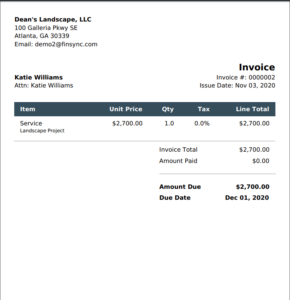
This task is pretty straightforward. Gather up all of the information needed to invoice your clients, including timesheets, extra costs, etc. If you use FINSYNC’s Projects module, you’ll be able to simply generate the invoice from within the project, and the appropriate costs will carry through. 

Make sure you have the correct invoice information for all your clients, including the correct due dates and payment terms. One of the most important factors in managing your cash flow is understanding when you’ll get paid by your customers. 

• Follow Up on Unpaid Invoices

Go over unpaid invoices and decide what to do. You may want to follow up with an e-mail or a phone call, or it may be time to send those invoices to a collections agency. 

• Pay State Withholding Taxes  

If you operate in a state with income tax, you need to pay these taxes monthly. The amount and procedure will vary from state to state, so talk to your accountant to figure out the details.

• Reconcile Bank and Credit Card Accounts

This is important for making sure your bookkeeping records match your actual bank balances. It’s also a form of internal control to catch any fraud or payment anomalies.


Quarterly Small Business Bookkeeping


• File a Form for Federal and State Income Tax

Your payroll provider can help you file your income tax forms. Most small businesses will have to file a Form 941, Employer’s Quarterly Federal Tax Return, each quarter. This form reports income taxes, social security taxes, or Medicare taxes withheld from employees’ paychecks. For state tax filing, check with an accountant. Your payroll provider will calculate taxes automatically and automate your tax returns to streamline this process. 

• Take Distributions  

Depending on your business structure, you might want to take distributions or pay quarterly dividends. 

• Evaluate Annual Profit and Loss Estimates

Once every three months is a good time to check in to see how your business is doing: how much money you’re making, how your net assets are doing, the difference between revenue and expenses, how well the profits are spent, etc. All of these factors will tell you if you need to make adjustments to improve sales and margins.


Yearly Small Business Bookkeeping


• Close Your Books for the Year

Ensure all financial information is documented, and save a copy of your year-end balance sheet, P&L statement, and cash flow statement. 

• File Any Necessary Forms  

Your payroll provider will ensure that you file any necessary forms, including a 1099-MISC form or a W-2, with the Social Security Administration and the state. You must also file either an IRS Form 1120 or an IRS Form 1120S for your business income taxes. Of course, you’ll need to file a personal income tax return as well. 


With proper planning, bookkeeping doesn’t have to be a time-consuming task, and we hope this checklist helps along the way. 


How FINSYNC Can Help


FINSYNC allows you to run your business on One Platform. You can send and receive payments, process payroll, automate accounting, and manage cash flow. To learn more about how we can help your business start, scale, and succeed, contact us today.


The Best Type of Corporation For Your Small Business

Many small business owners consider incorporating their business, and for good reason. From tax benefits to name protection, there are many benefits to incorporation. 


There are five types of corporations you can choose from. When you’re trying to figure out which one fits your business the best, consider the following questions: 


• To what extent do you need protection from legal liability?

• What form of taxation fits your individual situation and the goals of your business?

• How much are you willing to spend on the formation and administration of your business?

• How much flexibility in ownership structure do you and your business partners need?

• Will you raise capital or need a bank loan?


Consider what your business might look like in 3-5 years. The advantages of some business structures might turn into disadvantages down the line.


Let’s take a closer look at the five types of incorporation for small businesses. 


C Corporation


C corporations are the business structure that most small businesses start with when they get incorporated. A small business might get incorporated for the sake of limited liability, raising capital, deduction of certain expenses, or ease of operation.


The owners of C corporations bear no legal responsibility for the liabilities of the company. In addition, C corporations can deduct fringe benefits from their taxes, such as insurance and medical expenses not covered by insurance. Employees are exempt from paying taxes on these benefits as well. 


Lastly, C corporations are easy to manage in terms of stock ownership. Stocks can transfer between owners or new owners fairly easily, and the company doesn’t have to dissolve when one of the owners passes away.


Limited Liability Companies (LLC)


LLCs are a hybrid business structure that has features of both a corporation and a partnership or a sole proprietorship. The owners of an LLC are called members. There are few restrictions on who can become a member. In addition to individuals, corporations, foreign entities, and even other LLCs can be members. 


In general, LLCs offer the following advantages:


• Members are not personally liable for the company’s liabilities.

• No double taxation because LLCs don’t pay taxes. Profits or losses appear on members’ tax returns.

• Good for holding appreciating assets.


LLCs require a bit more paperwork to run, and some states also impose more rules on LLCs than partnerships. For example, the requirements to form an LLC in Texas are simpler and more affordable compared to New York, where businesses must navigate a mandatory publication requirement, adding to both the cost and complexity. 


S Corporation


S corporations are often recommended to small business owners because it offer the same liability protection and tax benefits as an LLC. Owners may receive dividend payments, which are not subjected to self-employment tax, in addition to their salaries. Additionally, S corporations are simple to manage as stocks are easily transferable compared to ownership in an LLC.


There are, however, many more restrictions on who can form an S corporation, which includes individuals, estates, and certain types of trusts. Companies often start out as some other type of incorporation and then switch to an S corporation once they fit the criteria. Furthermore, S corporations cannot have more than 100 owners or issue more than one type of stock. 


While an LLC might be easier to set up, S corporations are the right choice for business owners who plan on getting outside capital or issuing stock in the future. In those cases, the best scenario is to form a C corporation and then make the S corporation tax election.


Sole Proprietorship


A sole proprietorship is the simplest business structure. It’s inexpensive to run, has minimal mandatory reporting, and very simple tax reporting. It is ideal if only one person will be running the business. There is no double taxation on sole proprietorships, as all business net income is taxed as personal income. 


On the downside, sole proprietors are personally responsible for all business liabilities, meaning their assets might be seized to cover any business debts or legal claims. It’s also difficult to raise capital or get a business loan as a sole proprietor.  


Partnership


A partnership is any for-profit venture undertaken by two or more parties. Governments, nonprofit enterprises, businesses, or private individuals can enter a partnership. There are two types of partnerships: general and limited. 


In a general partnership, all parties share profits and financial liability equally between themselves. In limited partnerships, each party is held liable individually, meaning you won’t be held responsible for the malpractice of your business partner. Partnerships are a common business model for professionals, such as lawyers, accountants, or architects.


If you are still unsure what type of corporation is right for your business, talk to your accountant and lawyer. They know the details of your business and may be able to advise what business model will benefit your particular business the most.


How FINSYNC Can Help


FINSYNC allows you to run your business on One Platform. You can send and receive payments, process payroll, automate accounting, and manage cash flow. To learn more about how we can help your business start, scale, and succeed, contact us today.

How to Plan for Retirement as a Small Business Owner

Whether you work alone, with business partners, or with trusted employees, a retirement plan can help you care for yourself and your team. A retirement plan can also offer tax breaks, attract employees, and help build personal wealth. 


How to Decide Which Plan to Pick


As a small business owner, you can choose between three types of retirement plans: 


• Simplified Employee Pension Plan (SEP IRA)

• Savings Incentive Match Plan for Employees (SIMPLE IRA)

• Self-Employed 401(k) (SBO 401(k)) plan


All three plans have their own benefits. The plan that’s best suited for your business will depend on: 


• The number of employees you have

• If you currently work alone, and whether you plan to hire in the future

• Who will contribute to the plan (you, the employees, or both)

• How much you want to contribute

• How much time and money you can spend on setting up and maintaining the plan


If you already have employees, the Self-Employed 401(k) plan is not an option for your business as the plan does not include “common law” employees. The same applies if you have any future hiring plans. 


Let’s take a look at all three plans in greater detail. 


SEP IRA


This type of retirement plan is the only employer-sponsored plan of the three. You can choose this plan if you are: 


• Self-employed

• Small business with employees

• Sole proprietor

• Partnership

• Corporation

S-corporation


The 2020 contribution limit for this plan is up to 25% of employee’s salary or $57,000 (whichever is less).


This limit is flexible, which means that you can change the contribution from year to year, depending on the financial situation of your business. This is a great opportunity for businesses that go through years of fluctuating income or for newly established companies. However, the percentage you choose to contribute to the plan cannot be different from what you contribute to your own retirement plan as a business owner. 


This type of retirement plan is free to set up and maintain. There is also no need to file a Form 5500. For each tax year, you have until April 15th of the following year to make the contribution. All SEP IRA contributions are tax-deductible. 


SIMPLE IRA


With the SIMPLE IRA, you, as a small business owner, can set up retirement plans both for your employees and yourself. The rules of who can open a SIMPLE IRA are a bit different than a SEP IRA. The following are eligible to open a SIMPLE IRA:


• Companies with less than 100 employees

• Sole proprietor

• Partnership

• Corporation

• S-corporation


The contribution limits are quite different compared to the SEP IRA. You can choose between:


• Option 1: You match up to 3% of your employees’ contributions. The 2020 contribution limit for employees is $13,500.

• Option 2: A 2% contribution of your employees’ salary regardless of whether they contribute or not. The maximum contribution for 2020 is $5,700.


The only difference between the options is whether you, as a business owner, will be required to contribute to the plan. If you choose option 1, you can lower the matching contribution percentage to 1%, but that’s only allowable for 2 out of 5 consecutive years.


In terms of cost and time management, SIMPLE IRAs have a plan fee and a participant fee. They don’t require you to file a Form 5500, but you must submit annual employee notifications. As a business owner, you can deduct your contributions to a SIMPLE IRA plan.


Self-Employed 401(k)


As stated earlier, this option is only available for small businesses with no “common law” employees. However, if you have business partners who have shares in the company, all of you can be covered by the plan. Spouses can be included in this plan as well. 


With a self-employed 401(k) plan, you and your business partner can contribute to the plan both as employees and employers. The contribution limits are the most generous of all plans:


• As an employee, you can make a salary-deferred contribution of up to $19,500 for 2020. If you are over 50, that limit is $26,000.

• The business can contribute up to 25% of your annual salary or $57,000 (whichever is lower). If you are over 50, that limit is $63,500.


If you and your business partner don’t have any plans to hire in the future, this is the best choice for your business. SBO 401(k) is simple to set up and has no maintenance cost. You must file a Form 5500 annually after the plan’s total contribution exceeds $250,000.


Both types of contributions to Self-Employed 401(k) are tax-deductible. If your business is not incorporated, you can deduct contributions for yourself from your personal income. If your business is incorporated, the contributions are considered a business expense.


Next Steps in Retirement Planning


Now that you’re familiar with your options, it’s time to start planning. Take some time to consider a few factors: 


• Are you planning on hiring in the future? 

• How important is it for you to contribute to your employees’ retirement? 

• How much do you, as a business owner, wish to save in retirement?


Answering these questions will help you decide which plan suits your business now and in the future.


How FINSYNC Can Help


FINSYNC allows you to run your business on One Platform. You can send and receive payments, process payroll, automate accounting, and manage cash flow. To learn more about how we can help your business start, scale, and succeed, contact us today.

Small Business Efficiency: Consolidating Control of Financial Tasks

One of the first realizations that strike entrepreneurs when they set out on their own is just how much multitasking is required to operate their small business day to day.  


You have to explore ways to grow your revenue, maintain existing customer relationships, and ensure you’re managing costs. All while staying on top of payments, invoicing, and myriad other key accounting tasks.  


That’s a tall order, especially when you’re running the show alone or with a handful of employees. Often, the technology businesses rely upon to help streamline their accounting tasks end up complicating matters. 


It can be time-consuming enough to learn how to navigate a typical bookkeeping program, never mind when you add on other software for making payments, managing payroll, and invoicing. Pretty soon, the time it takes to switch between multiple interfaces just to get a handle on whether you have enough cash flow to cover expenses at the end of the month begins to add up.


Even the most skilled multitaskers will be hard-pressed to keep up with that approach. Of course, there’s a far better option. Consolidating all of your financial accounts and simplifying cash flow management within a single software system. That’s what you get with FINSYNC’s financial platform.  


Centralizing control of your financial tasks within a single platform will optimize a large swath of your responsibilities. It will save you time and money. All while providing you with insights into how you can grow your business that would be far harder to come by with a decentralized accounting approach.  


One-Stop Accounts Management 


Streamlining financial tasks begins with consolidating your various accounts under one software platform. Once all your accounts are linked, essentially talking to each other, you can automate a variety of back-office tasks, including making payments, sending out and tracking invoices, and even processing payroll.   


This means you can quickly confirm whether a bill was paid or a customer received an invoice. A system like FINSYNC also automatically sends out invoices and email reminders to customers whenever their payment is past due.  


Every secure transaction, regardless of which bank or credit card account, is easily accessible. No more bouncing around from one application to the next and struggling to keep passwords straight.  


More importantly, the integration of your accounts makes it possible to set your bills to be paid automatically. This consolidated approach also generates an accurate electronic data trail of all your payouts and accounts receivable.  


Payroll is another area that can be greatly optimized by linking it to your other accounts within a platform like FINSYNC. An employee time-tracking feature can slash your processing time and minimize mistakes when calculating payroll.


A time-tracking application can also eliminate the data entry associated with physical methods of keeping tabs on employee work hours and ensures that your payroll is in compliance with employee tax withholding requirements.


This not only saves you time — and stress — it saves you money. Consider that FINSYNC customers, on average, save 30% on payroll alone.  Read more about the benefits of doing payroll processing from an integrative system.


A Consolidated, Comprehensive View  


Perhaps the most important benefit of combining all your back-office tasks under a single platform is that you gain a real-time, accurate view of your business’s financial condition. This enables you to optimize how you manage your cash flow. You can spot potential funding shortfalls well in advance.  


Need to make sure you have enough cash coming in to cover a big expense later in the quarter? FINSYNC enables you to set the time schedule for your customer invoices. This is so that you can allow enough time to increase the likelihood that revenue will be coming in on time to help cover your costs.  


Consolidating your accounts within FINSYNC’s platform also helps make it easier to keep your company in the black, with built-in time and expense monitoring and tools that can more accurately deliver project cost estimates. You can even track expenses and profitability on a task, phase, and project basis.  


More Payment Options


A platform like FINSYNC can also help you manage your cash flow by giving you the option of using credit cards to cover costs for goods or services even if the recipient doesn’t have a merchant account.  


The platform allows you to send and receive payments with full remittance details with an email address alone. That means you can send a payment using a credit card. Your customers or vendors won’t ever see your credit card details. If you use a credit card that offers cash back or other rewards, you’ll accrue rewards any time you send a payment using the card.  


The ability to use credit for all types of payments can come in handy, especially when you’re trying to preserve cash. 


How FINSYNC Can Help


FINSYNC allows you to run your business on One Platform. You can send and receive payments, process payroll, automate accounting, and manage cash flow. To learn more about how we can help your business start, scale, and succeed, contact us today.

Apply For Business
Checking Account

Before you get started

1

We are not able to service these businesses at the moment:

  • Crypto Currency and Money Services
  • Privately Owned ATMs
  • Marijuana-Related
  • Gambling
  • Money Services Business
  • Business headquartered outside of the U.S.
2

At this time we are offering online business checking accounts through bank partners in these states:

  • Arizona
  • California
  • Idaho
  • Nevada
  • New Mexico
  • Oregon
  • Texas
  • Utah
  • Washington

Is your business in one of these states?